Leave Your Message
0%

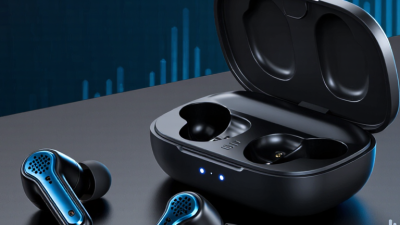
Picking the right wireless gaming earbuds model can honestly make a huge difference in how clearly you catch footsteps, reloads, and those far-off movements. And yeah, it can also be the difference between a long gaming night that feels comfortable and one that just leaves you drained.

You know, Dr. Sean Olive — he's a well-respected headphone researcher — once said, “The best headphone is the one that sounds best to you.” And honestly, that point really matters here. Things like personal fit, ear shape, and what you actually like listening to often matter more than flashy specs. Take a gaming earbud: it might brag about ultra-low latency, but if the seal is weak? It can still end up feeling pretty disappointing.

Honestly, the small stuff really matters. First, make sure the earbuds actually work with whatever you're using—console, PC, or phone. And don't just test the connection right next to the transmitter; try it across a crowded apartment and see if it holds up. If you're playing loud team matches, check how clear the mic sounds. A clean voice beats exaggerated bass every time. Battery life should get you through a realistic session, charging case included.

And yeah—comfort comes first.

So, you're trying to pick out a pair of Wireless Gaming Earbuds? This guide walks through ten practical things to compare before you buy. We're talking latency, how well the sound positioning works, codec support, mic quality, controls, build, software, and yeah—price. And it doesn't skip the boring-but-real stuff either, like how your ears feel after two hours or whether the case is a pain to shove into your pocket.

Truth is, no pair wins in every category. I’ve seen models with really good sound lose their appeal just because the touch controls misfire during tense matches—and yeah, that’s easy to overlook. Marketing language can also make you feel more confident than you should. The honest choice often means accepting one compromise, especially when budget and comfort matter more than fancy features. These tips are meant to make that compromise visible before you buy.
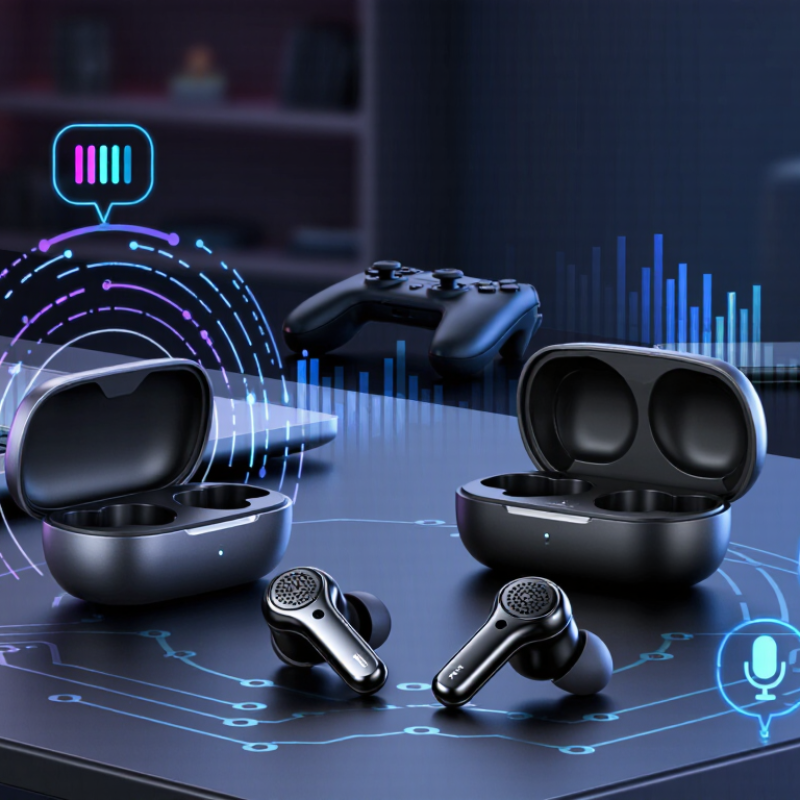
10 Tips for Choosing Wireless Gaming Earbuds

Define Your Gaming Needs and Listening Habits

Before choosing wireless gaming earbuds, define how and where you actually play. A competitive player may prioritize low latency, stable wireless performance, and a clear microphone. Someone playing story games may value fuller sound, comfort, and reliable noise control instead. I test earbuds during short matches, long sessions, and quiet listening. A ten-minute fit can feel fine, but discomfort often appears after an hour.

Pay attention to your listening habits. Do you play beside a fan, on public transport, or in a silent room? Active noise cancellation can reduce steady background noise, while a transparent mode helps you hear someone nearby. Check the stated battery life, but treat it as an estimate. High volume, wireless transmission, and noise control can shorten it. That matters.

Fit affects both comfort and sound quality. Poorly sealed tips can weaken bass and make footsteps harder to notice. Try different tip sizes, then test speech, music, and game effects.

Low-latency modes may improve timing, but they can reduce battery life or sound range. I once focused too heavily on delay and ignored microphone clarity. Teammates heard room noise clearly. My mistake.

Also consider your device compatibility, charging routine, and ear sensitivity. Technical specifications help, but your daily habits decide whether the earbuds remain useful.

Compare Wireless Connection Standards and Device Compatibility

When choosing wireless gaming earbuds, compare connection standards before comparing soundstage or battery claims. Bluetooth Classic remains widely compatible with phones, tablets, and laptops. However, its game audio can feel delayed, especially during fast movement. Bluetooth Low Energy Audio can improve efficiency and support newer broadcast features, but device support is still uneven. The 2024 Bluetooth SIG Market Update forecasts annual Bluetooth device shipments rising from 5.4 billion in 2023 to 7 billion by 2028. That growth does not guarantee equal gaming performance across devices. Check the exact Bluetooth version, supported codecs, and operating-system limitations. Compatibility matters more than a long specification list.

A dedicated 2.4 GHz wireless receiver usually provides lower latency than standard Bluetooth. It can suit a console or gaming computer, but the receiver may require USB-A, USB-C, or a separate adapter. Test the port before buying. Some earbuds offer both modes, which is useful when moving between a phone and a console. I also check whether microphone audio reduces playback quality during voice chat. It often does. The Wi-Fi Alliance’s Wi-Fi 6 certification data highlights a broader industry shift toward faster, more reliable wireless connectivity, yet Wi-Fi and Bluetooth performance still depend on interference, distance, and household traffic. Keep the receiver within arm’s reach during testing. Walls matter. A reported “low-latency” mode may work well in one room and disappoint in another, so leave room for doubt.

10 Tips for Choosing Wireless Gaming Earbuds - Compare Wireless Connection Standards and Device Compatibility

Tip Connection Standard or Feature What to Compare Verified Technical Facts Device Compatibility Check Best Practical Choice
1 Bluetooth Classic Supported Bluetooth profiles and operating modes Bluetooth Classic commonly carries audio through the A2DP profile. Headset microphones typically use HFP or HSP, which can reduce audio quality when the microphone is active. Check whether the computer, phone, tablet, or handheld console supports Bluetooth audio and microphone use for the intended game or chat application. Choose Bluetooth Classic for general gaming, mobile play, and media use when ultra-low latency is not the main priority.
2 Bluetooth LE Audio LC3 codec support and operating-system compatibility LE Audio uses the LC3 codec and is designed to improve efficiency and enable features such as broadcast audio and coordinated multi-stream audio. Both the earbuds and host device must support compatible LE Audio functions. Confirm support in the specific operating-system version and hardware combination; Bluetooth 5.x alone does not guarantee LE Audio support. Consider LE Audio when both ends explicitly list compatible LE Audio and LC3 support.
3 2.4 GHz USB Wireless Included transmitter, operating range, and latency mode A dedicated 2.4 GHz transmitter usually provides a direct wireless audio link and can deliver lower, more consistent latency than standard Bluetooth, depending on the product design and environment. Verify that the device has a compatible USB port or supports the required USB adapter. Some mobile devices require a USB-C adapter or may not support the transmitter. Prefer a dedicated 2.4 GHz connection for competitive computer or console gaming where response timing matters.
4 Bluetooth Codec Codec availability on both the earbuds and the source device Common Bluetooth audio codecs include SBC, AAC, aptX-family codecs, and LDAC. Actual codec selection is negotiated by the source and earbuds, and higher-bitrate modes may require stronger signal conditions. Check the codec options supported by the exact phone, computer, tablet, or adapter. A codec listed on the earbuds may not be available on every device. Choose the codec combination that both devices support reliably rather than selecting based only on the advertised maximum bitrate.
5 Latency Performance Measured audio delay in gaming mode Wireless latency is affected by the connection method, codec, buffering, operating system, and radio interference. A “low-latency” label is not a universal performance standard. Look for independent measurements using the same platform and connection mode you plan to use. Do not assume that a Bluetooth version number predicts gaming latency. Use a dedicated transmitter or a clearly documented low-latency mode for rhythm, action, and competitive games.
6 Multipoint Connection Number of simultaneous devices and supported functions Multipoint allows compatible earbuds to maintain connections with more than one source, but automatic switching may pause audio, depend on device behavior, or be unavailable during certain low-latency modes. Confirm whether multipoint works with the required combination, such as a computer and phone, and whether gaming mode disables it. Choose multipoint for convenient switching between gaming and calls; choose a dedicated single-device mode when stable latency is more important.
7 Console Compatibility Native Bluetooth support, USB audio support, and chat functions Many game consoles restrict standard Bluetooth audio or do not support all Bluetooth microphone profiles. A USB audio transmitter can provide compatibility, but chat support depends on the console and transmitter. Check the console’s approved wireless-audio methods, available USB ports, required adapters, and whether voice chat is supported. For console gaming, select earbuds with an explicitly compatible USB transmitter rather than relying on ordinary Bluetooth pairing.
8 Computer and Mobile Support USB connector type, drivers, and application support Bluetooth audio may work without additional hardware, while dedicated transmitters may require USB-A, USB-C, or an adapter. Companion software may be limited to certain operating systems. Match the transmitter connector to the device and verify support for the required operating system, firmware updater, equalizer, and microphone controls. Choose USB-C transmission for modern laptops and mobile devices, provided the operating system supports USB audio accessories.
9 Range and Interference Operating distance, obstacles, and crowded radio environments Bluetooth and 2.4 GHz wireless systems share radio spectrum with other devices. Walls, metal objects, USB 3.x equipment, Wi-Fi traffic, and physical distance can reduce stability or increase interruptions. Check whether the receiver can be positioned close to the earbuds and whether the gaming area contains many 2.4 GHz wireless devices. Keep the transmitter in a clear, unobstructed position and avoid placing it directly beside high-interference USB or wireless equipment.
10 Battery and Charging Earbud runtime, case capacity, charging time, and connection-mode impact Advertised battery life is normally measured under defined conditions and may decrease with higher volume, voice-chat use, active noise cancellation, or low-latency transmission. Compare runtime in the specific mode you will use, confirm the charging connector, and check whether the case can recharge the earbuds during travel or extended sessions. Select enough measured runtime for a complete gaming session and consider quick charging for short breaks between matches.

Evaluate Sound Quality, Drivers, and Gaming Audio Features

Sound quality begins with more than a large driver. A 10mm unit can sound weaker than a well-tuned 6mm driver. Driver material, enclosure design, and digital processing matter equally. Check frequency response, distortion, and channel balance. Avoid choosing by bass alone. Excessive low-end energy can hide footsteps, reload sounds, and distant movement.

The Entertainment Software Association reported in its 2024 Essential Facts report that 61% of Americans play games, averaging 13 hours weekly. Long sessions make comfort and accurate imaging practical concerns. Test Gaming Earbuds Wireless models with a quiet dialogue scene, then a crowded multiplayer match. Voices should remain clear when explosions overlap. Spatial audio can improve direction cues, but its effect depends on the game and device. I still question virtual surround when it makes rear sounds feel metallic.

Bluetooth SIG’s 2024 market update projected 7.6 billion Bluetooth device shipments annually by 2028. Connection stability therefore deserves attention, not just advertised latency. Look for a gaming mode, stable microphone transmission, and independent volume controls. Compare spoken latency against visible actions. Small delays become obvious during rhythm games. My own testing is imperfect; ear shape changes bass and isolation dramatically. That is why measurements should guide the purchase, while personal listening makes the final decision.

10 Tips for Choosing Wireless Gaming Earbuds

Evaluate sound quality, drivers, latency, microphones, comfort, and gaming-focused features before you buy.

The chart shows a practical 100-point evaluation framework for wireless gaming earbuds. Sound quality and gaming responsiveness receive the greatest weight because clear positional audio, controlled bass, and low wireless delay directly affect gameplay. Battery life, microphone clarity, comfort, connectivity, and useful audio features complete the assessment.

Check Comfort, Fit, and Long-Session Wearability

10 Tips for Choosing Wireless Gaming Earbuds

Tip 1: Check the weight before buying. Heavy earbuds can create pressure after a long gaming session. Tip 2: Examine the ear tips. Soft silicone usually feels gentler against sensitive skin. Tip 3: Try different sizes. A small change can prevent soreness and slipping. Tip 4: Wear them for at least thirty minutes. A quick test can hide discomfort. I once underestimated this.

Tip 5: Move your head during testing. Turn, lean, and look upward to check stability. Tip 6: Choose a secure fit without excessive pressure. Tight earbuds may stay in place, but they can cause aching. Tip 7: Notice heat and moisture around your ears. Warm rooms reveal problems quickly. Tip 8: Check whether the charging case fits your pocket. Bulky cases become annoying during travel. Comfort is practical.

Tip 9: Test True Wireless Gaming Earbuds with glasses or headsets. Contact points may create unexpected pressure. Tip 10: Listen for clear footsteps at a moderate volume. Good audio should not require painful loudness. Check microphone comfort during voice chat, too. After several hours, small flaws become obvious. Battery claims also need careful thought, because actual playtime changes with volume, connection strength, and microphone use. A comfortable fit matters more than impressive specifications when sessions regularly last beyond two hours.

Assess Battery Life, Charging Options, and Case Design

For True Wireless Stereo Gaming Earbuds, battery life should match your actual sessions. A five-hour rating may cover one match, but voice chat and high volume can reduce it. Counterpoint Research’s Q2 2024 Global TWS Hearables Market Tracker reported 12% year-on-year market growth. That demand makes honest battery testing more important. Look for at least six hours per charge, plus two full recharges from the case.

Charging flexibility matters during travel and tournaments. USB-C is now the practical baseline. A case reaching 50% charge in ten minutes can rescue a sudden evening session. Check whether fast charging works with the included cable and power adapter. Wireless charging is convenient, but it may add weight and cost. I sometimes prefer a cable. It is less elegant, but easier to verify.

Case design affects daily reliability. Grand View Research valued the global wireless headphones market at about USD 8.7 billion in 2023, with strong growth projected through 2030. More users will carry these devices everywhere. A case should fit securely in a pocket, open with one hand, and protect the charging contacts from dust. Hinges deserve attention. A loose lid becomes irritating quickly. LED indicators can also mislead, especially under bright lights. I would test the case for several days before trusting its advertised endurance. Some claims still feel optimistic.

Review Microphone Performance, Durability, and Overall Value

10 Tips for Choosing Wireless Gaming Earbuds

Tip 1: Test the microphone before judging sound quality. Record your voice beside a running fan and keyboard. A clear microphone should preserve consonants without sounding thin or distant. Check whether the earbuds reduce background noise naturally. Overprocessed voices can become metallic. I once trusted a quiet-room test and regretted it during a team match.

Tip 2: Examine durability through practical details. Look for a firm charging case, protected mesh, and sturdy touch controls. Sweat resistance helps during long sessions, but it does not guarantee water safety. Inspect the charging port for a tight cover or strong construction. Tip 3: Check battery claims against real use. Enable the microphone, spatial audio, and low-latency mode while testing. These features often reduce playback time. Measure comfort after two hours, not ten minutes. Small pressure points become painful quickly.

Tip 4: Judge overall value beyond the purchase price. A reliable connection, replaceable ear tips, and a responsive warranty can matter more than extra lighting. Confirm compatibility with your console, computer, and phone. Check whether the microphone works wirelessly on each device. Gaming Earbuds with impressive specifications may still offer poor value if switching devices is awkward. My own comparison notes were incomplete because I ignored call quality. That mistake changed the final ranking. Short tests can mislead.

OEM ANC Wireless Headphones: ENC Branding Trends—Grand View Research & MarketsandMarkets Data

The OEM ANC wireless headphones market is increasingly shaped by demand for recognizable, private-label audio products. Grand View Research reports continued expansion in the global headphones market, supported by rising wireless adoption, hybrid work, and demand for improved voice communication. MarketsandMarkets likewise identifies active noise cancellation, Bluetooth connectivity, and business applications as important growth drivers in the wireless audio sector. Together, these trends show why companies are investing in customized headsets rather than relying solely on generic consumer models.

For corporate buyers, this China-manufactured OEM/ODM solution combines product personalization with practical workplace performance. Businesses can add their logo and develop packaging for bulk orders, employee gifts, or private-label programs that strengthen brand visibility. ANC helps reduce surrounding distractions for focused listening, while the built-in ENC microphone is designed to improve voice pickup during meetings and calls. This combination supports a more professional communication experience in offices, shared workspaces, and remote-work environments.

Bluetooth 5.4 provides a fast, stable connection with an operating range of up to 33 feet, helping employees stay connected throughout the workday with fewer interruptions. For procurement teams, the product offers a flexible path to branded audio programs while aligning with the market priorities highlighted by Grand View Research and MarketsandMarkets: wireless convenience, clearer communications, personalization, and dependable everyday performance.

FAQS

How important is earbud weight for long gaming sessions?

Lightweight earbuds usually create less pressure. Heavy models may cause soreness after two hours. I once ignored this and regretted it.

Which ear tip material may feel more comfortable?

Soft silicone often feels gentler against sensitive skin. Try several sizes. A tiny size change can prevent slipping.

How long should I test earbuds before buying?

Wear them for at least thirty minutes. Move your head, lean forward, and look upward. Quick tests can hide discomfort.

How tight should gaming earbuds fit?

They should stay secure without excessive pressure. Tight earbuds may remain stable but cause aching. Comfort matters more than perfect locking.

What should I check in a warm room?

Notice heat and moisture around your ears. Warm rooms reveal comfort problems quickly. Small flaws become obvious later.

Can glasses or headsets affect earbud comfort?

Yes. Test both together before buying. Contact points may create pressure near your ears or temples.

How much battery life is practical for gaming?

Look for at least six hours per charge. Two case recharges add useful flexibility. High volume and voice chat reduce real playtime.

What charging features should I inspect?

USB-C charging is practical for travel. Fast charging can rescue a sudden evening session. Wireless charging feels convenient, but adds weight and cost.

What makes a charging case suitable for daily use?

It should fit securely in a pocket and open with one hand. Check the hinge, contacts, and dust protection. LED indicators can mislead.

Should audio volume be high for clear game sounds?

No. Footsteps should remain clear at a moderate volume. Painful loudness is not a quality feature. I still sometimes overestimate battery claims.

Conclusion

Choosing the right Gaming Earbuds Wireless setup starts with understanding your gaming habits, preferred devices, and listening environment. Consider whether you need a low-latency connection for competitive play, broad compatibility across consoles, computers, and mobile devices, or flexible connection options for everyday use. Sound quality also matters, so look for balanced audio, clear directional cues, suitable drivers, and useful gaming features that help you hear dialogue, effects, and team communication accurately.

Comfort is equally important during long sessions. Choose earbuds with a secure fit, multiple ear-tip sizes, and a lightweight design. Compare battery life, charging speed, case portability, and convenient charging options to avoid interruptions. Finally, evaluate microphone clarity, build durability, controls, and overall value rather than focusing on one feature alone. The best choice should provide reliable performance, comfortable long-term wear, clear communication, and practical everyday usability within your budget.

Mira

Mira

Mira is a dedicated marketing professional at Shenzhen Songnico Technology Co., Ltd., where she plays a pivotal role in highlighting the company's innovative solutions and technological advancements. With a deep understanding of the industry, she expertly navigates the complexities of product......
Previous How to Fix Noise in Wireless Headphones in 2026?